Turn Photos or Videos into Talking Animations with lipsync.video
In today’s attention-crunched digital world, visuals that move and speak instantly generate engagement. lipsync.video is a free, no-registration online AI platform that transforms any compatible photo or video into a naturally lip-synced animation, simply by uploading your visual and audio assets.
What Is lipsync.video?
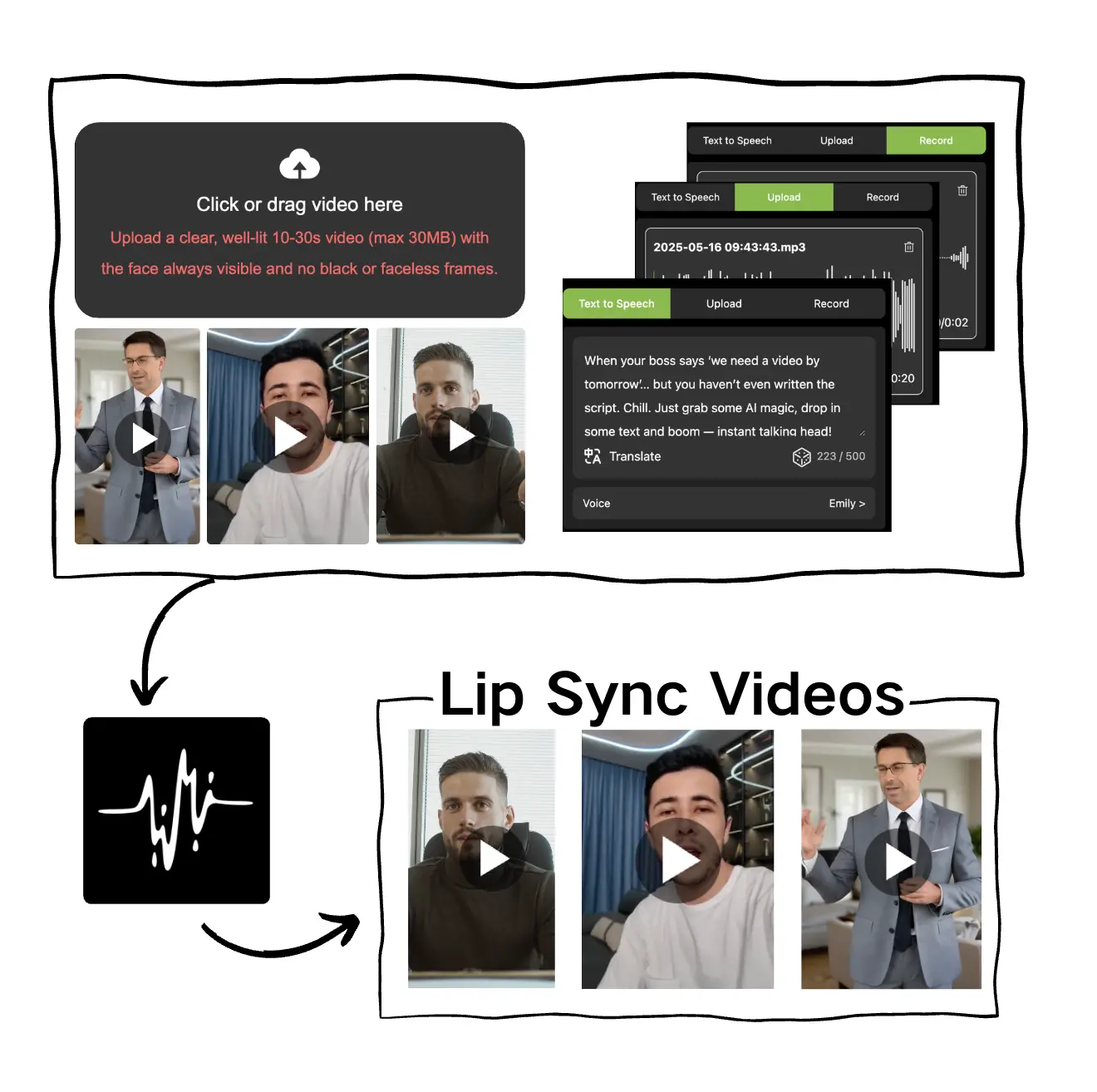
lipsync.video is a web-based AI-powered tool that aligns facial movements with voice input—whether it’s real speech, voice‑over audio files, or text-to-speech output. The result: convincing, talking animations using minimal input. The service offers thematic tools such as Cartoon Lip Sync, Talking Photo, and even pet-themed variants, perfect for creative or educational use .
✨ Core Features at a Glance
- Fully free, no signup required: Start using the lip sync tools immediately without registration or credit card.
- Fast and intuitive: Upload image/video + audio → press Generate → wait a few minutes → download your talking video.
- Multiple styles supported: Animate real faces, cartoons, or photos with different lip‑sync themes.
- Minimal production cost and effort: Skip filming, voice recording, or manual animation—only upload and go.
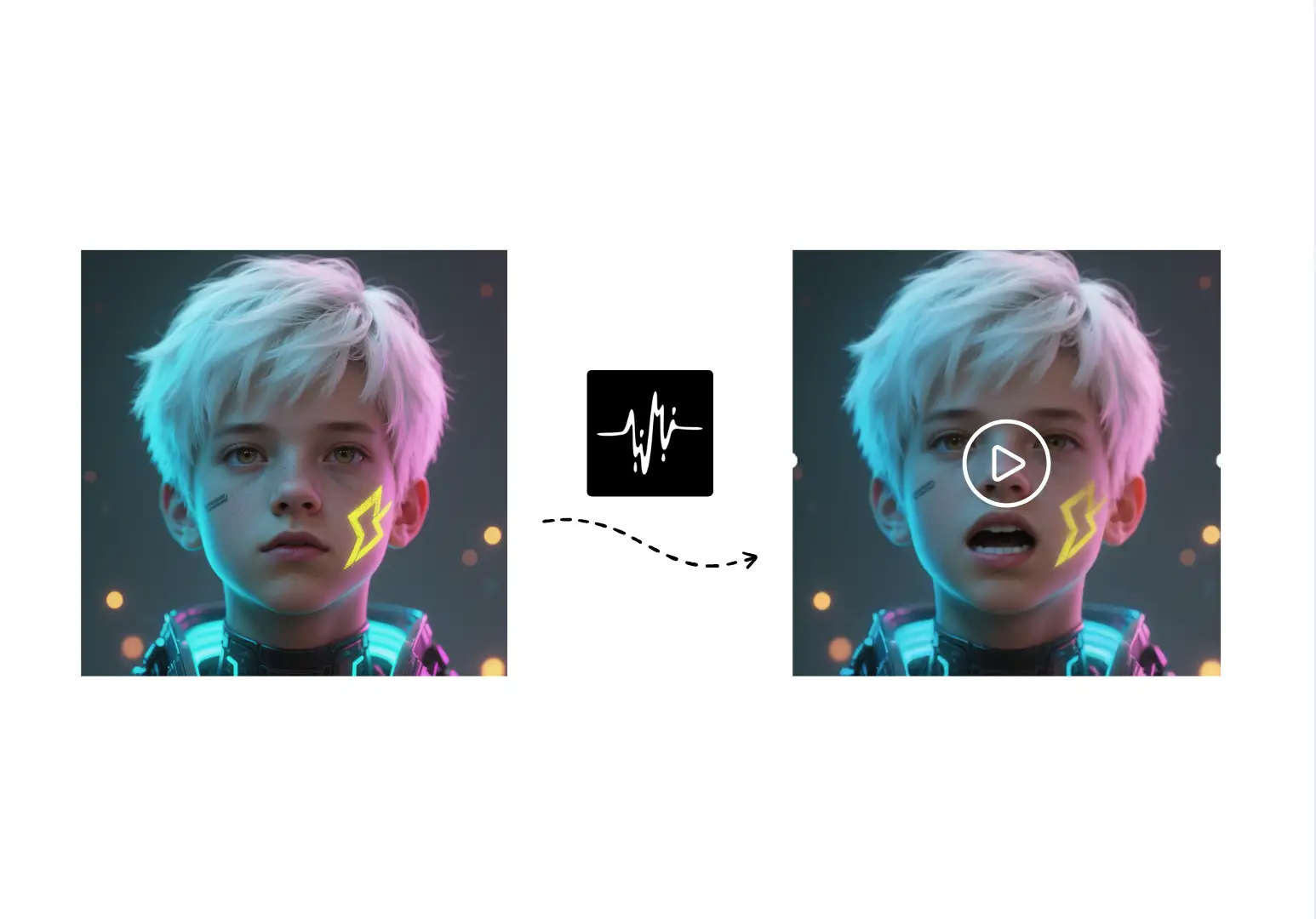
How It Works: Step by Step
- Upload assets: Choose your video/image file and provide an audio track—either your own recording or TTS.
- Click “Generate”: The AI processes and aligns mouth movements with audio speech.
- Preview & download: Get the final video, ready to share across social or project platforms.
Ideal Use Scenarios
- Content creators & social media: Bring static images or avatars to life with speech to boost engagement.
- Educators and trainers: Create talking avatars for explainer videos, greeting messages, or interactive teaching aids.
- Marketing & branding: Animate executives or mascots without filming sessions for quick campaign clips.
- Personal/novelty videos: Surprise family and friends with speaking childhood photos, pet animations, or festival messages.
Performance & Realism
While lipsync.video excels at ease-of-use and accessibility, you may notice differences in lip-motion detail compared to higher-end commercial tools like Vozo.ai, Sync.so, Gooey.ai, and HeyGen. These paid solutions often offer features such as:
- Superior realism (full head & body motion, emotional expressions),
- Support for multiple faces,
- Advanced translation or API integration,
- And higher resolution outputs with minimal artifacts     .
But if your goal is rapid, intuitive creation of talking visuals without spending a dime, lipsync.video is a strong offering.
Tips to Maximize the Results
- Use clear, front-facing photos or videos for more accurate lip alignment.
- Upload high-quality, clean audio (MP3 or WAV free of background noise).
- Keep video clips short—processing times scale with length.
- For commercial or high-volume use, review the platform terms and copyright or usage limits.
Summary
lipsync.video provides a remarkably simple way to animate static images or videos using automatically generated lip sync—completely free and without signup. Ideal for casual creators, educators, and anyone wanting quick, talking visuals without fuss.
If you’re ready to test it out, jump in with a photo or short clip and your audio—then watch as your visuals start talking. Need an alternative with advanced features later? Tools like Vozo.ai or Sync.so might be worth exploring next.